The short version: you upload a song, the AI analyzes the beat, you pick a visual style, and it renders clips that move with the music. That is the whole flow. The longer version is where the differences live, because a music video lives or dies on one thing: whether the visuals hit the beat.
We built BeatLinked because we make music and kept seeing videos that ignored it. A drop would hit and nothing would happen on screen. The template played, the song played, and the two never talked to each other. So this walkthrough is the process we actually built: what happens between upload and finished video, what good sync looks like, and what AI still can’t do in 2026.
Step 1: Start with the track
The song is the input, not the background. Before any visual exists, the engine listens to the whole track. It finds the BPM, the energy curve, where the verse breathes, where the chorus lands, where the drop hits, where the breakdown empties out. Not a loop, not the first thirty seconds. The whole song, because a video that dies halfway through is worse than no video.
This matters more than people think. Two songs at the same BPM can feel completely different: one builds for two minutes and detonates, the other starts hot and coasts. A video that treats them the same way has already failed. The analysis has to happen before the visuals, and the visuals have to obey it.
Step 2: Let the beat set the structure
This is the part most tools skip. A lot of “AI music video” generators animate a template and let your song play underneath. The template has its own rhythm and it does not care about yours. The result is a video that technically contains your song and technically has motion, and still feels wrong. It is a slideshow with a soundtrack.
In a proper pipeline, beat analysis comes first and everything else is built on it: the cuts, the scene changes, the pulses. For a 124 BPM house track, a cut can land on every kick. For an 80 BPM folk song, scenes hold for ten seconds and change with the guitar. Same tool, opposite pacing, because the music decided, not the template.
Good sync is not about cutting fast. It is about cutting when the music asks. A kick lands and the image punches. A snare roll builds and the visuals build with it. The quiet verse gets calmer visuals, the chorus gets more. If you can close your eyes during a drop and predict the next cut, the sync is working. If you can’t, the template is playing, not the song.
Step 3: Pick a visual world
This is where style comes in, and for us it is not “pick a filter.” We built three worlds, and each one is a complete visual language:
- Organic: natural light, landscapes, slow weather. Fits ambient and folk.
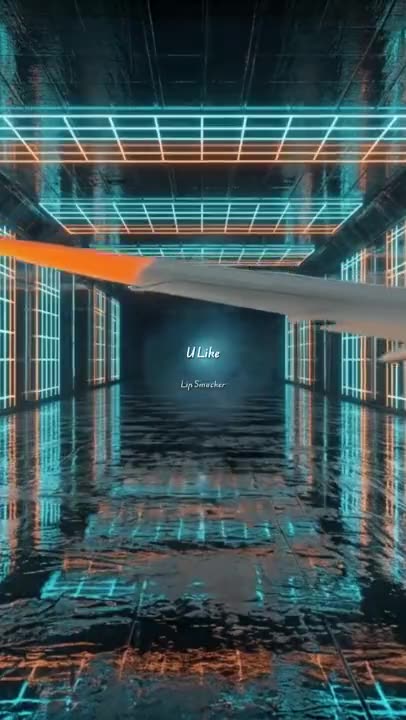
- Urban: neon, glass, city night. Fits house and hip-hop.
- Cosmic: scale, light shows, wide open space. Fits rock and techno.
The same song rendered in all three sounds like a gimmick until you see it. Same beat, same structure, three completely different universes, all locked to the same cuts. That is the part people don’t expect: the sync is identical, the mood is whatever you choose.
The world also fixes the palette and the texture of every scene, which solves a real AI problem: style drift. Without a locked visual language, one scene looks like a nature documentary and the next looks like a screensaver. The world system keeps the whole video feeling like one film instead of a shuffle of clips.
If your album art exists, it can appear in the video as a prop, a billboard inside the scene. It is never pasted on top.
Step 4: Render, then review
Rendering takes a few minutes per batch of clips. You get real footage, not a preview mockup: each scene generated, cut to the beat, covering the song from start to finish. The clips come out good and the whole batch is yours to use. If you want a completely different take on the song, you can regenerate the whole batch, but a fresh render costs a song credit.
What AI still can’t do (honest list)
We get asked about this constantly, so here it is straight.
AI video in 2026 is good at consistent style and staying in time. It is still unreliable at people. Faces drift, hands glitch, and crowds turn into soup. That is why we do not render people at all: no singers, no dancers, no crowds. The videos are worlds, not actors. If your album art has a face on it, it stays a billboard in the scene. We never try to bring it to life.
The honest note on do-overs: the clips come out good, and the whole batch is yours to use. If you want a completely different take on the song, you can regenerate the whole batch, but it costs a song credit.
And one expectation worth killing now: the AI does not understand your lyrics. It reads the music: tempo, energy, structure. If your song tells a story in words, the video will not retell it. It gives you a world that moves with the arrangement, and you decide if that world fits.
Where to start
The whole process in one line: upload a song, let the beat get analyzed, pick a world, and render. The batch comes out locked to the beat. A different take means a fresh render, and that costs a song credit.
If you want genre-specific guidance, we wrote guides for house, techno, hip-hop, rock, ambient, and folk. Each covers the BPM range, the moods, and the world that fits. The house guide explains why fast cuts work on four-on-the-floor. The ambient guide explains why ten-second locked shots beat any edit. Start with the genre you actually make.
If you just want to see what your track looks like: upload a song to BeatLinked. It takes a few minutes, and you will hear the difference the beat makes.
Want to see your own track do this?
Make your music video